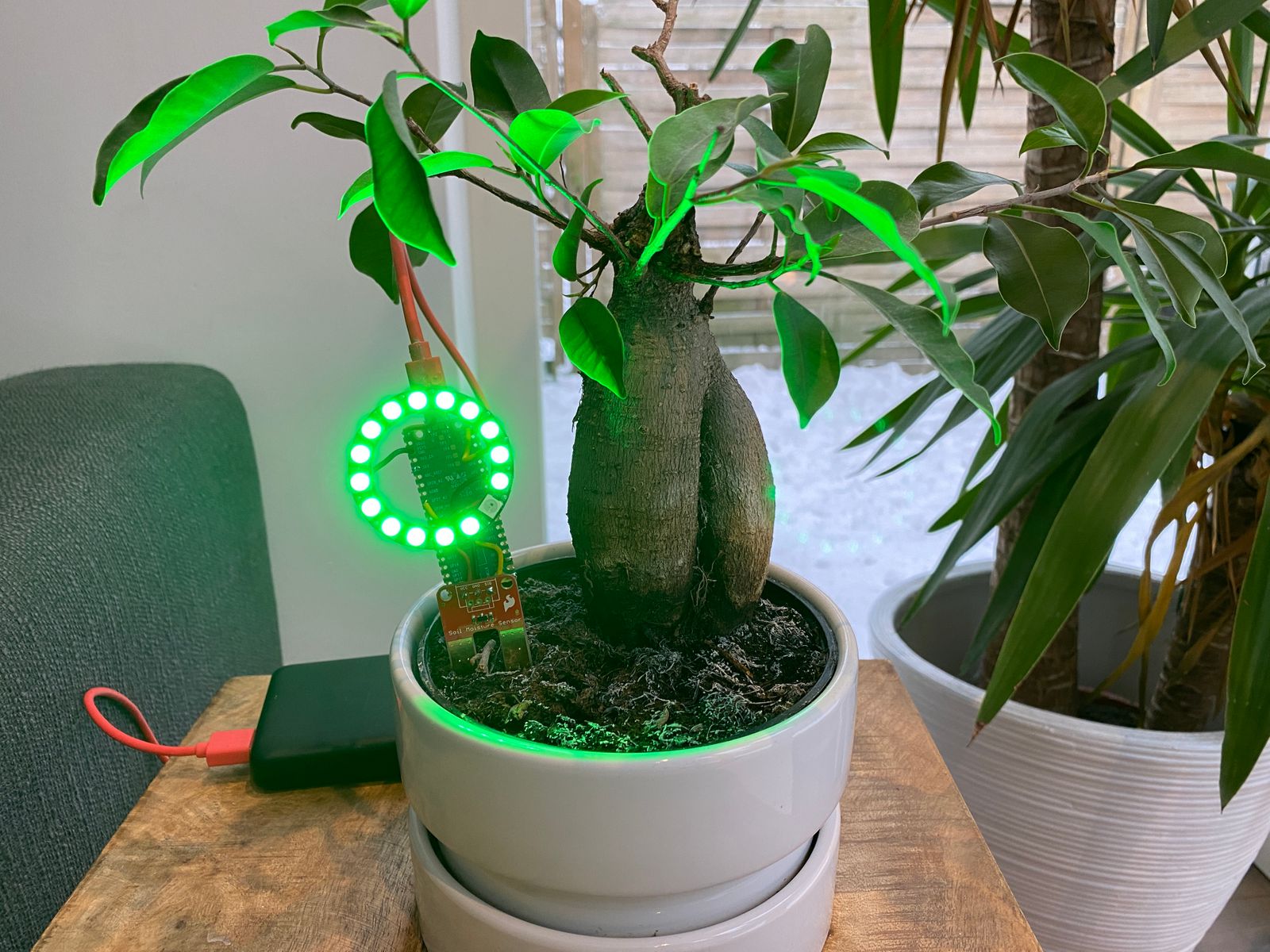
Overview
A guide for creating a soil moisture indicator using Raspberry Pi Pico and CircuitPython to monitor indoor plant hydration levels with automatic sensor calibration.
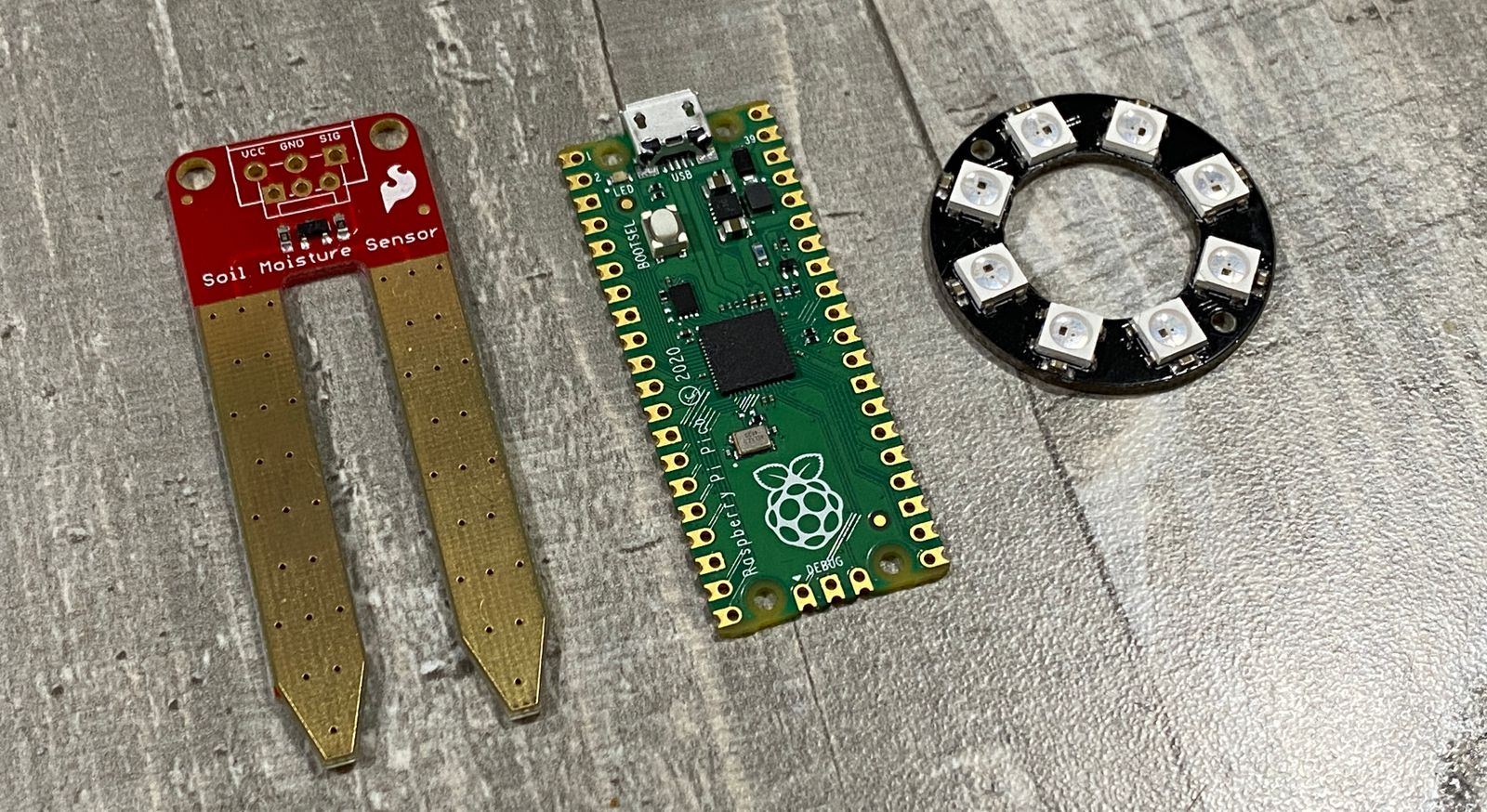
What You'll Need
- Raspberry Pi Pico
- Sparkfun Soil Moisture Sensor
- WS2812B (Neopixel) ring or strip
- Solid core wire
- Micro USB cable
Note: Alternative boards supporting CircuitPython (like Adafruit QTPy) work similarly.
Putting It Together
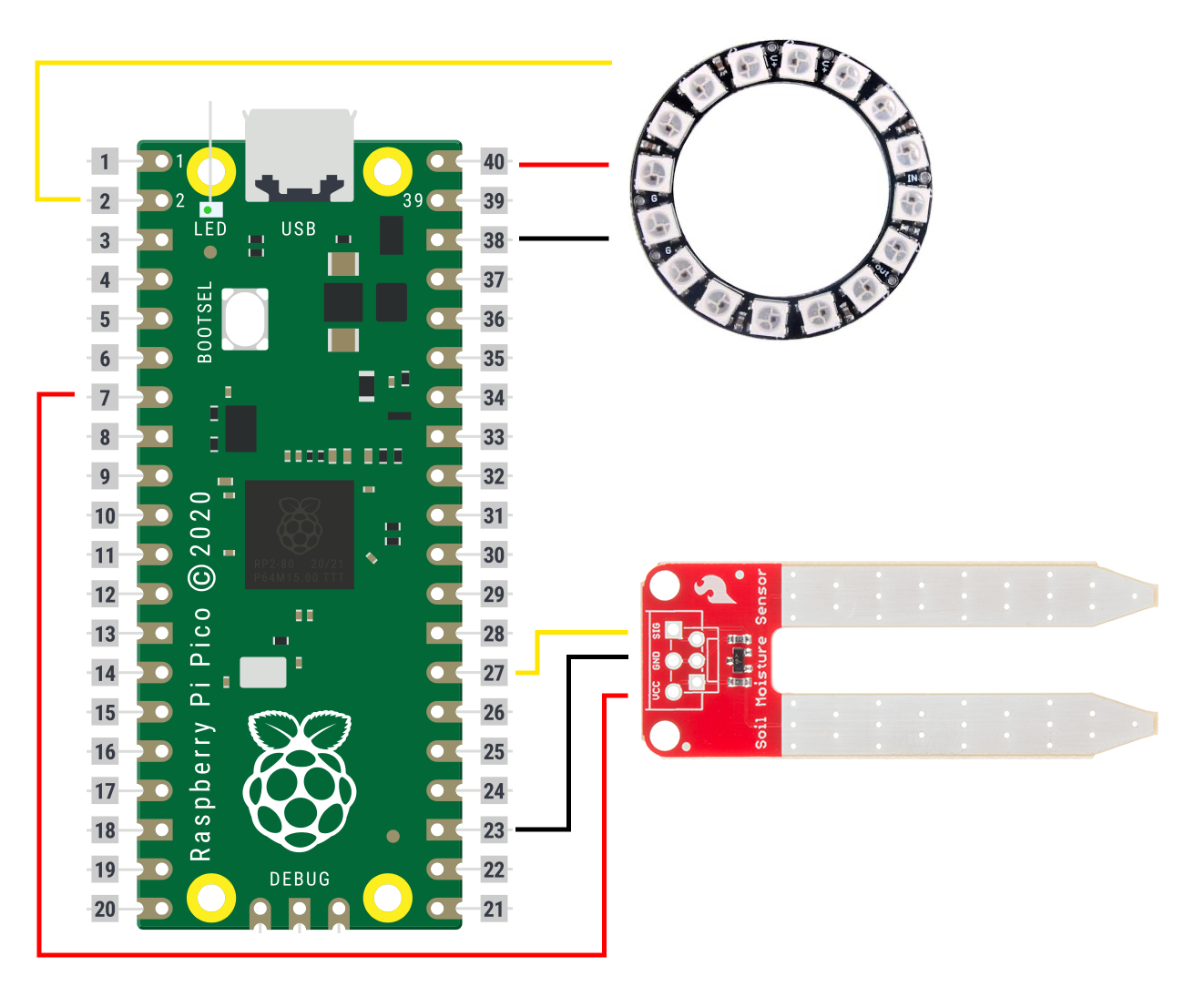
Circuit Connections
Raspberry Pi Pico pin assignments:
- Pin 2: Neopixel data signal
- Pin 7: Moisture sensor power
- Pin 27: Moisture sensor analog signal
- Pin 23: Moisture sensor ground
- Pin 40: Neopixel power (USB direct)
- Pin 38: Neopixel ground
Setup Instructions
- Solder components per circuit diagram
- Install CircuitPython on Raspberry Pi Pico
- Download CircuitPython library bundle
- Copy
neopixel.mpyto lib folder - Paste provided code into
code.py
The Code
import time
import board
import neopixel
from analogio import AnalogIn
from digitalio import DigitalInOut, Direction, Pull

# how frequently to take readings
DELAY = 600

# Update this to match the number of NeoPixel LEDs connected to your board.
num_pixels = 16

# setup the moisture sensor power pin and turn it off by default
sensor_power = DigitalInOut(board.GP7)
sensor_power.direction = Direction.OUTPUT
sensor_power.value = False

# set the analog read pin for the moisture sensor
sensor_signal = AnalogIn(board.GP27)

# set up the noepixels
pixels = neopixel.NeoPixel(board.GP2, num_pixels, auto_write=False)
pixels.brightness = 0.2

# some variables for internal use, you shouldn't have to worry about them
calibrate_count = 0
auto_calibrate = True
SENSOR_MAX = 0
SENSOR_MIN = 9999

# set the neopixels to blue
for i in range(num_pixels):
    pixels[i] = (0,0,255)
pixels.show()

print("=============")
print("calibrating sensor")
print("=============\n\n")

while True:

    if auto_calibrate == True:

        sensor_power.value = True
        value = round(sensor_signal.value / 100)
        sensor_power.value = False

        print("reading:", value)

        if value > SENSOR_MAX:
            SENSOR_MAX = value
        if value < SENSOR_MIN:
            SENSOR_MIN = value

        calibrate_count += 1

        if(calibrate_count > 100):
            print("\n-------------------")
            print("MIN:", SENSOR_MIN)
            print("MAX:", SENSOR_MAX)
            print("-------------------\n")
            time.sleep(5)

            for i in range(num_pixels):
                pixels[i] = (0,0,0)
            pixels.show()

            auto_calibrate = False

        time.sleep(0.2)

    else:

        value = round(sensor_signal.value / 100)
        print("reading:", value)

        sensor_power.value = True

        percent = round(((value - SENSOR_MIN) / (SENSOR_MAX - SENSOR_MIN)) * 100)
        print("Percent:", percent)

        show_leds = round(100 / (100 / num_pixels) * percent / 100)
        print("leds to show:", show_leds)

        print((value, percent, show_leds))

        if(show_leds < 8):
            color = (255,0,0)
        else:
            color = (0,255,0)

        if(show_leds > num_pixels):
            show_leds = num_pixels

        if(show_leds <= 3):
            show_leds = num_pixels

        for i in range(num_pixels):
            pixels[i] = (0,0,0)

        for i in range(show_leds):
            pixels[i] = color

        pixels.show()

        time.sleep(DELAY)

        print("\n-------------------\n")
How to Use It
Upon powering up, the NeoPixel ring displays blue during calibration mode.
Calibration Process
The sensor requires calibration due to variations in water purity and soil mineral content. The device automates this:
- Ensure sensor gold fingers are completely dry
- Water plant to desired moisture level
- Plug Pico into power
- Insert sensor forks into soil after 5 seconds
- Ring fills with green at maximum moisture
Operation
- Green lights: Adequate moisture
- Red lights: Moisture dropping, approaching dry
- All red: Critical dryness warning
Credits
Thanks to Adafruit for CircuitPython guidance, SparkFun for sensor documentation, and Raspberry Pi Foundation for the Pico microcontroller.